 KulaQuest Wiki
Level Format
A binary format for storing level data.
Overview
KulaQuest uses a binary format for storing level data. This format does not have a file extension, and is mostly the same across all versions of the game with slight differences. Levels are not stored on disc as standalone files, but are instead stored as part of the world's .PAK file (the first demo uses an older .KUB format instead).
Structure
The format is comprised of the following sections:
- Identifiers for every block in the grid
- The number of blocks and records
- Records
- Optional level settings
| Offset(h) | Size | Type | Description |
|---|---|---|---|
| 0x00000 | 78608 | i16[34 * 34 * 34] | Block grid data |
| 0x13310 | 2 | i16 | Block count |
| 0x13312 | 2 | i16 | Padding |
| 0x13314 | 2 | i16 | Record count |
| 0x13316 | 256 * record_count | Record[record_count] | Records |
| - | 256 | LevelSettings | Level settings (optional) |
Block Grid Data
Every level in the game is a fixed 34x34x34 grid of blocks, each identified by a value inside the block data section that determines its type.
The first block at coordinates (0, 0, 0) begins on the top-left-back corner of the grid, and the last block at coordinates (33, 33, 33) ends at the bottom-right-front corner of the grid:
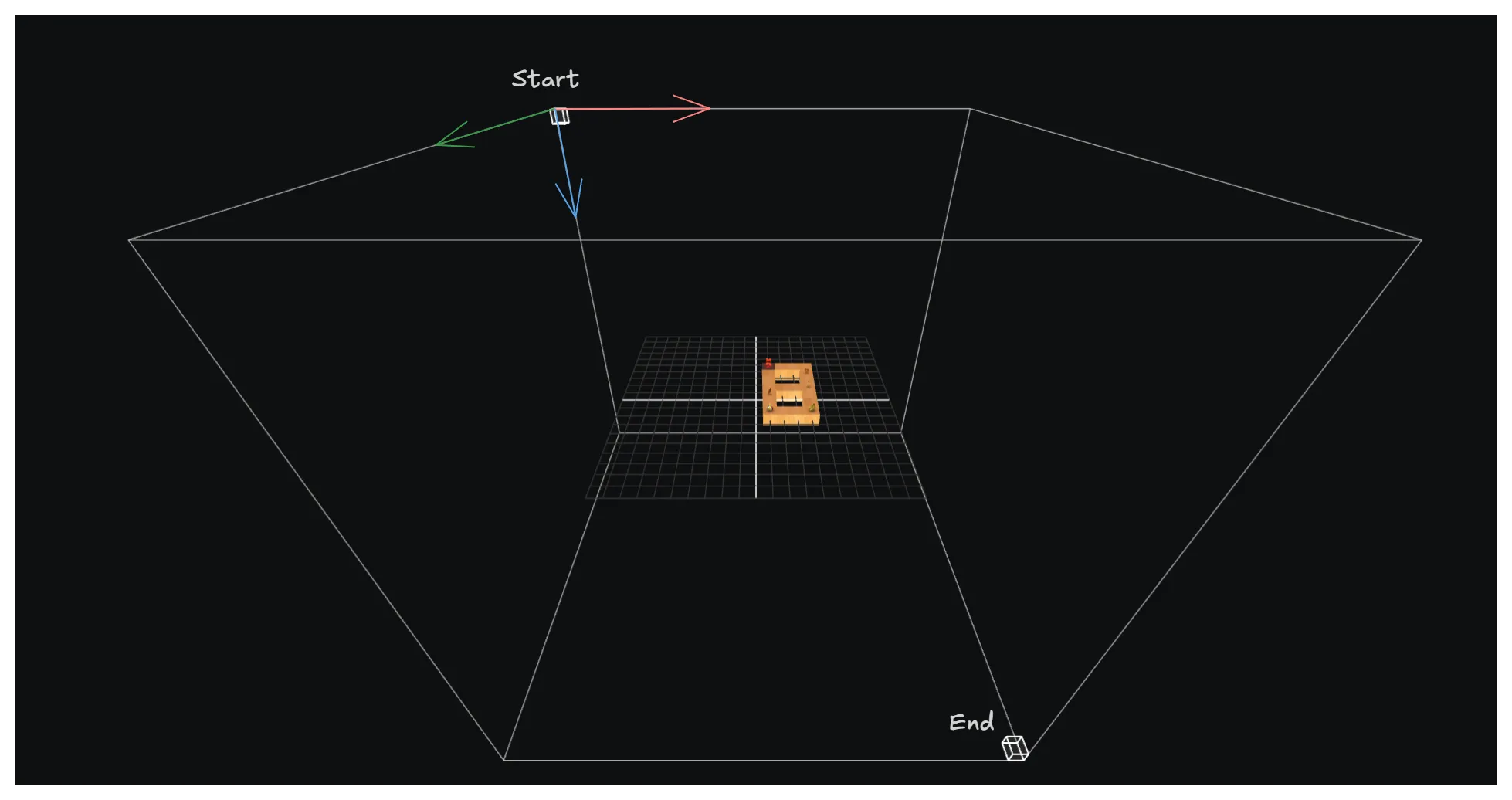
The axes in the current level editor are not accurate to the game's coordinate system. As a result, the level editor should not be used as a reference for coordinate-related work.
The first 78,608 bytes of the file contain an array of 16-bit integers, one for each block in the grid. As referenced above, the first value in this section corresponds to the first block in the level (coordinates (0, 0, 0)), with the last value corresponding to the last block in the level. A cell at grid coordinates (x, y, z) can be accessed using the following formula:
int index = x * 34*34 + y * 34 + z;  // == x * 1156 + y * 34 + z
int byteOffset = index * 2;
Each 16-bit value represents what kind of block is at that position in the grid:
| Value | Block Type |
|---|---|
| -1 | Empty, no block here. |
| 0 | A plain block with no special properties; i.e. a block that doesn't contain any objects or is of a specific type. |
| 1 | A fire block, which is just a plain block but with fire patches on all sides. No objects or properties. |
| 2 | Same as above, but with ice patches on all sides. |
| 3 | Same as above, but with invisible patches on all sides. |
| 4 | Same as above, but with acid patches on all sides. |
| 5 and above | A special block that references a record, see below. |
| -2 | Reserved for laser segments, in-memory usage only. |
Any value greater than or equal to 5 indicates a block that contains a record, such as a block that contains items and/or objects, a crumbling block, etc. The first block of this type must always start at 5, and is incremented for each subsequent block that contains a record.
Coordinate System
Two types of coordinate systems are used in this format — block coordinates and entity coordinates. Block coordinates reference positions in the grid, where each unit corresponds to one block. Entity coordinates are used for records that require sub-block precision, such as the moving block's current position and the player's position. Entity coordinates use the same 16-bit format as block coordinates, but at a finer scale: 1 block unit = 512 entity units. The upper bits of an entity coordinate give the block index, and the lower 9 bits (0-511) represent the sub-block position within that block.
Conversion between the two systems:
// Block to entity (center of block)
short entityCoord = blockCoord * 512;

// Entity to block (rounded to nearest block)
short blockCoord = (entityCoord + 256) >> 9;
Here's an example of both systems referencing the same position: a player positioned on top of block (17, 16, 17):
11 00 10 00 11 00- Block coordinate (17, 16, 17)00 22 00 20 9C 20- Entity coordinate (8704, 8192, 8348)
The following structures will be used to represent both systems throughout this document:
| Offset(h) | Size | Type | Description |
|---|---|---|---|
| +0x00 | 2 | i16 | X position (1 unit = 1 block) |
| +0x02 | 2 | i16 | Y position (1 unit = 1 block) |
| +0x04 | 2 | i16 | Z position (1 unit = 1 block) |
| Offset(h) | Size | Type | Description |
|---|---|---|---|
| +0x00 | 2 | i16 | X position (1 unit = 1/512 of a block) |
| +0x02 | 2 | i16 | Y position (1 unit = 1/512 of a block) |
| +0x04 | 2 | i16 | Z position (1 unit = 1/512 of a block) |
Direction Table
The following table will be used throughout this document to indicate a direction based on a value.
| Value | Direction |
|---|---|
| 0 | Z- |
| 1 | X+ |
| 2 | Y+ |
| 3 | Y- |
| 4 | X- |
| 5 | Z+ |
Block and Record Count
Immediately after the block grid data begins these 16-bit values:
| Offset(h) | Size | Type | Description |
|---|---|---|---|
| 0x13310 | 2 | i16 | Block count |
| 0x13312 | 2 | i16 | Padding |
| 0x13314 | 2 | i16 | Record count |
The block count does not have to be set correctly as it's not read in game. However, the record count is required as the game utilizes it to determine the number of records in the level. For an unknown reason, the padding value in-between is sometimes set to -1 in certain levels, and the block count value is sometimes set to a negative value.
Block Records
There are a lot of different types of special blocks used in game, each requiring additional information defined below towards the end of the file, right after the previous section. Each record is a chunk of 256 bytes. The game determines the type of record based on the first value in the record.
Object Block Record0-4
The following structure applies to blocks that contain objects, i.e. anything that is assigned to a specific side of a block, like items and traps. Moving, crumbling, flashing, and laser blocks follow a different structure, and have dedicated sections respectively below.
| Offset(h) | Size | Type | Description |
|---|---|---|---|
| +0x00 | 2 | i16 | Block type (0-4) |
| +0x02 | 32 | Object | Object on the Negative Z side |
| +0x22 | 32 | Object | Object on the Positive X side |
| +0x42 | 32 | Object | Object on the Positive Y side |
| +0x62 | 32 | Object | Object on the Negative Y side |
| +0x82 | 32 | Object | Object on the Negative X side |
| +0xA2 | 32 | Object | Object on the Positive Z side |
| +0xC2 | 56 | i16[28] | Padding (-1) |
| +0xFA | 6 | BlockPosition | The block's position in the level |
Each object contains 32 bytes of information pertaining to its type, various states, and appearance:
| Offset(h) | Size | Type | Description |
|---|---|---|---|
| +0x00 | 2 | i16 | ID |
| +0x02 | 2 | i16 | Direction |
| +0x04 | 2 | i16 | Variant |
| +0x06 | 2 | i16 | State |
| +0x08 | 2 | i16 | Item state index (set automatically in memory) |
| +0x0A | 2 | i16 | Object reference 1 (buttons and transporters only) |
| +0x0C | 2 | i16 | Object reference 2 (buttons and transporters only) |
| +0x0E | 2 | i16 | Vertex buffer index (0) |
| +0x10 | 2 | i16 | Ground offset (demo only) |
| +0x12 | 2 | i16 | Rotation type (demo only) |
| +0x14 | 2 | i16 | Animation phase 1 (memory only, default: -1) |
| +0x16 | 2 | i16 | Animation phase 2 (memory only, default: -1) |
| +0x18 | 2 | i16 | Animation phase 3 (memory only, default: -1) |
| +0x1A | 2 | i16 | Rotation speed (demo only) |
| +0x1C | 2 | i16 | Animation counter (memory only, default: -1) |
| +0x1E | 2 | i16 | Animation state (memory only, default: -1) |
Here is an interactive example of the block that contains the level exit from the first level of Hiro, starting at the file offset 0x13310:
013310h  14 00 00 00 06 00 00 00 07 00 00 00 00 00 02 00
013320h  FF FF FF FF FF FF 00 00 F4 01 01 00 FF FF FF FF
013330h  FF FF 1E 00 FF FF FF FF 00 00 FF FF FF FF 00 00
013340h  FF FF FF FF FF FF 00 00 FF FF FF FF FF FF FF FF
013350h  FF FF FF FF FF FF FF FF 00 00 FF FF FF FF 00 00
013360h  FF FF FF FF FF FF 00 00 FF FF FF FF FF FF FF FF
013370h  FF FF FF FF FF FF FF FF 00 00 FF FF FF FF 00 00
013380h  FF FF FF FF FF FF 00 00 FF FF FF FF FF FF FF FF
013390h  FF FF FF FF FF FF FF FF 00 00 FF FF FF FF 00 00
0133A0h  FF FF FF FF FF FF 00 00 FF FF FF FF FF FF FF FF
0133B0h  FF FF FF FF FF FF FF FF 00 00 FF FF FF FF 00 00
0133C0h  FF FF FF FF FF FF 00 00 FF FF FF FF FF FF FF FF
0133D0h  FF FF FF FF FF FF FF FF FF FF FF FF FF FF FF FF
0133E0h  FF FF FF FF FF FF FF FF FF FF FF FF FF FF FF FF
0133F0h  FF FF FF FF FF FF FF FF FF FF FF FF FF FF FF FF
013400h  FF FF FF FF FF FF FF FF FF FF FF FF FF FF FF FF
013410h  11 00 0C 00 11 00
A table documenting every object and its properties is available here.
Every object has a unique ID that is used to identify it, with some objects having different variants.
For example, the coin has an id of 0x25, and has the 3 following variants:
- Bronze
- Gold
- Silver
An object can have several states, such as a transporter or button being enabled or disabled.
Items use this value in memory to determine whether it has been collected by the player, and is set to 1 in file.
Finally, the direction value is utilized by certain directional objects, such as arrows and the player spawn.
If a side of a block does not have an object, the object ID and state are set to 0, and the rest of the values are set to -1.
Animation Fields
Models in game can contain multiple vertex buffers, though the only object that utilizes this is the moving spike for its retracting animation (each frame is actually a separate vertex buffer).
The vertex buffer index determines which buffer to use, and it must always be set to 0 in file, regardless of the number of vertex buffers the model contains.
The following fields are automatically set in memory and are not required:
| Field | Description |
|---|---|
| Item state index | Incremented from 0 after every collectable item. |
| Animation phases | 3 values used to keep track of various sin phases of an object's spinning animation. |
| Animation state | The state of the object's animation. |
| Animation counter | A counter for the object's animation. |
In the alpha and beta versions of the game, the following values are required to be set, but are not read in later versions:
| Field | Description |
|---|---|
| Ground offset | Determines how far an object is above the block. |
| Rotation type | Determines the type of rotation an object uses. |
| Rotation speed | Determines how fast an object rotates. |
Object Reference Fields
Lastly are the two object reference fields, used by transporters and buttons to determine what object(s) to toggle when the parent object is toggled. Each value encodes a block record index and a face index as a packed 16-bit integer:
// Encoding
short value = (blockRecordIndex << 4) | side;

// Decoding
short blockRecordIndex = value >> 4;
short side             = value & 0xF;
For example, the value D0 01 (0x01D0):
- Record index:
0x01D0 >> 4= 29 - Side:
0x01D0 & 0xF= 0 (negative z face)
And 72 01 (0x0172):
- Record index:
0x0172 >> 4= 23 - Side:
0x0172 & 0xF= 2 (positive x face)
When targeting a laser block, the side must be set to 6.
In the alpha and beta versions of the game, buttons toggled themselves when pressed and only contain the first slot. In all other versions of the games, buttons have two slots and do not toggle themselves when pressed — meaning one slot is often used to point back at the button itself. Only the second slot (object reference 1) can be used this way.
Moving Block Record5
A single block is placed at the starting position (current position), known as the origin. Based on the length, that many blocks including the origin will be placed along the positive direction of the axis. e.g. if the direction is set to Negative X, the additional blocks will still be placed in the Positive X direction.
For example, a length of 1 means only the origin block itself, so no additional blocks will be placed. If the length is 3 and the direction is set to 1, 2 blocks will be placed in the Positive X direction. The maximum length a moving block can be is 4, as the texture data the block stores in memory inside its record overwrites other information about the moving block, as well as the next record.
| Offset(h) | Size | Type | Description |
|---|---|---|---|
| +0x00 | 2 | i16 | Record type (5) |
| +0x02 | 2 | i16 | Direction |
| +0x04 | 2 | i16 | Axis |
| +0x06 | 2 | i16 | Unknown |
| +0x08 | 6 | BlockPosition | Position 1 |
| +0x0E | 6 | BlockPosition | Position 2 |
| +0x14 | 12 | - | Padding |
| +0x20 | 2 | i16 | Unknown |
| +0x22 | 2 | i16 | Length |
| +0x24 | 2 | i16 | Speed |
| +0x26 | 2 | i16 | Padding |
| +0x28 | 2 | i16 | Block ID |
| +0x2A | 196 | - | Padding |
| +0xEE | 6 | EntityPosition | Current position |
| +0xF4 | 6 | i16[3] | Unknown (00 01 00 01 00 01) |
| +0xFA | 6 | BlockPosition | Position |
The moving block contains 3 position values:
| Field | Description |
|---|---|
| Position 1 | One of two points that the block will move between during the level. This position must be before position 2 along the axis. |
| Position 2 | The other one of two points that the block will move between, and must be positioned after position 1. |
| Current Position | The position the moving block will start at when the level is started, meaning it can start at a different point along the axis other than the two positions specified, though in all cases from the game, this position is the same as one of the two points above. |
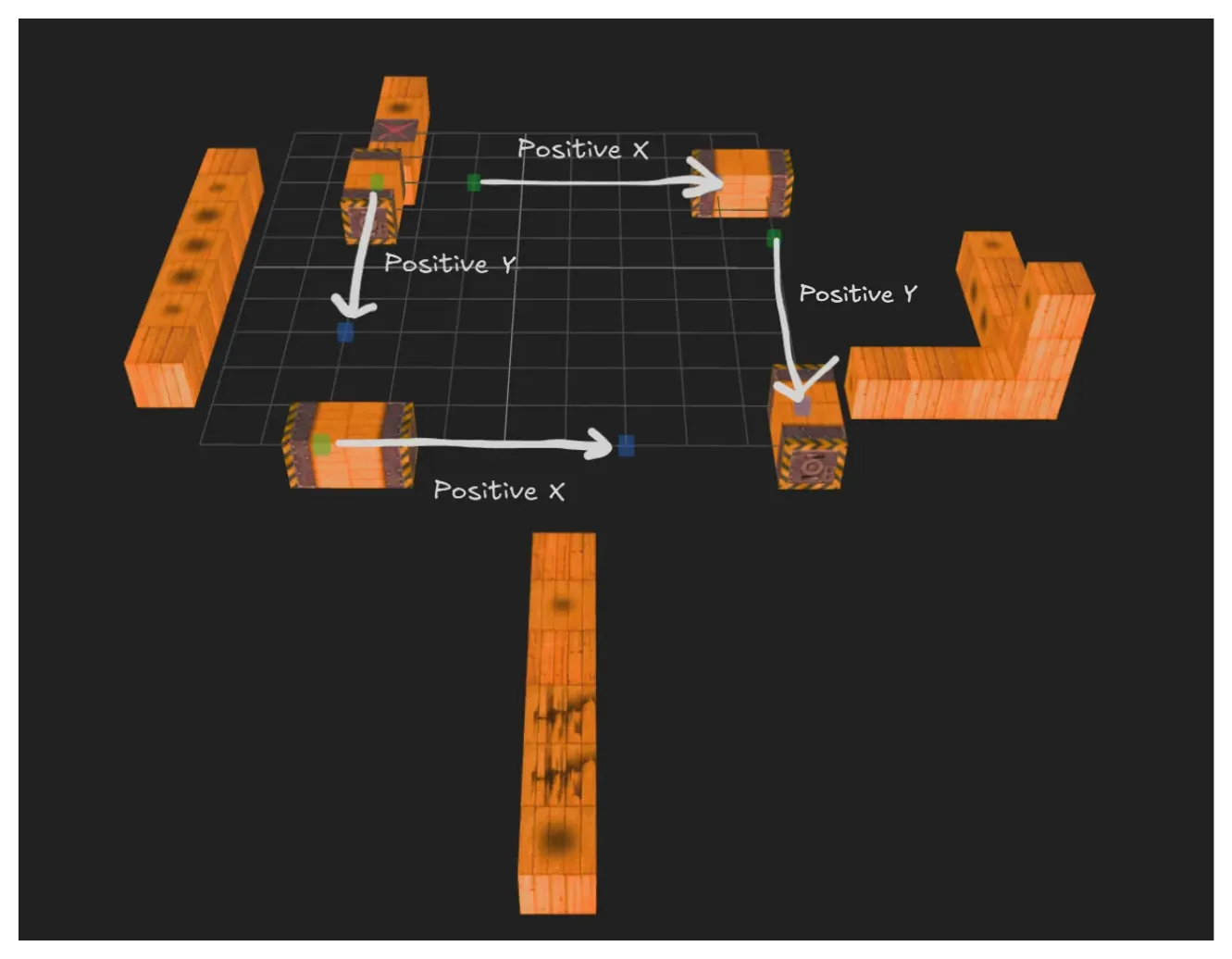
In the diagram above, position 1 (green) is always first along the axis before position 2 (blue), regardless of what direction the block is set to.
The direction value specifies what direction the block will initially move towards on the axis, and follows the direction table above. Any value other than the ones in the table will cause the moving block to not move at all. The axis field specifies the axis the block will move along, and how the texture is wrapped onto the block. If this value is not set correctly, the block's collision will not work properly and will often crash the game.
| Value | Axis |
|---|---|
| 1 | X axis |
| 2 | Y axis |
| 5 | Z axis |
| - | Any other value defaults to the Z axis. |
The speed indicates how many times the current position is incremented or decremented per frame depending on if it's moving in a positive or negative direction, respectively. Lastly, the block ID is set to the value that represents this record in the block grid data section.
Crumbling Block Record6
| Offset(h) | Size | Type | Description |
|---|---|---|---|
| +0x00 | 2 | i16 | Record type (6) |
| +0x02 | 2 | i16 | State (1) |
| +0x04 | 6 | EntityPosition | Position (entity) |
| +0x0A | 240 | - | Padding |
| +0xFA | 6 | BlockPosition | Position (block) |
Crumbling blocks have the following state values, though they should be set to 1 in file:
| Value | Description |
|---|---|
| 0 | The crumbling block is gone |
| 1 | The crumbling block is active. |
| 2 | The crumbling block is crumbling (unused). |
| 3 | The crumbling block is crumbling. |
| - | Any other value causes the crumbling block to still be active, but will not produce a sound when touched. |
The crumbling block contains entity positioning, set to the exact block coordinate of the crumbling block, though it is not referenced in game.
The 240 bytes of padding are usually set to -1, though in some odd cases this section will contain object data and other weird structures.
At some point during the game's development, the crumbling block may have been intended to contain objects.
Flashing Block Record7
| Offset(h) | Size | Type | Description |
|---|---|---|---|
| +0x00 | 2 | i16 | Record type (7) |
| +0x02 | 2 | i16 | Index (-1, memory only) |
| +0x04 | 2 | i16 | Sync |
| +0x06 | 2 | i16 | State (-1, memory only) |
| +0x08 | 2 | i16 | Counter (-1, memory only) |
| +0x0A | 240 | - | Padding |
| +0xFA | 6 | BlockPosition | Position |
The sync value is used to specify in what order of timing the flashing block will appear, similar to moving spikes. Occasionally, just like crumble blocks, the 240 bytes of padding may contain weird structures, but have no affect at all.
Laser Block8
| Offset(h) | Size | Type | Description |
|---|---|---|---|
| +0x00 | 2 | i16 | Record type (8) |
| +0x02 | 2 | i16 | Direction |
| +0x04 | 2 | i16 | Axis (unused) |
| +0x06 | 2 | i16 | Enabled |
| +0x08 | 6 | BlockPosition | Position 1 |
| +0x0E | 6 | BlockPosition | Position 2 |
| +0x14 | 14 | - | Padding |
| +0x22 | 2 | i16 | Unknown (1) |
| +0x24 | 4 | - | Padding |
| +0x28 | 2 | i16 | Block ID |
| +0x2A | 2 | - | Padding |
| +0x2C | 2 | i16 | Color |
| +0x2E | 2 | i16 | Object reference |
| +0x30 | 202 | - | Padding |
| +0xFA | 6 | BlockPosition | Position |
Position 1 and 2 specify the two points of the laser, where position 1 must always come before on the axis than position 2, exactly like moving blocks. If one of the positions are set to a block that isn't actually present in the file, the game will automatically create a plain block there.
The rest of the fields are as follows:
| Field | Description |
|---|---|
| Direction | Direction of the laser, follows the direction table above. |
| Color | The color of the laser, follows the same structure that transporters and buttons do, and can be viewed here. |
| Enabled | Whether the laser is enabled or not upon starting the level. |
| Block ID | Same as moving blocks, set to the value that represents this record in the block grid data section. |
| Object reference | Specifies the object to toggle when the laser itself is toggled, exactly like transporters and buttons. |
Level Flag Record9
The record is optional, and if set is always at the end directly behind the level information record. This record is used for setting flags for the level and does not tie to any block at all:
| Offset(h) | Size | Type | Description |
|---|---|---|---|
| +0x00 | 2 | i16 | Record type (9) |
| +0x02 | 2 | i16 | Hidden level |
| +0x04 | 2 | i16 | Farsighted invisible blocks |
| +0x06 | 250 | - | Padding |
The structure is very simple and only has two flags, which are set to true or false depending if they're set to 1 or 0 respectively. The first flag specifies if the current level is a hidden level, and the second flag specifies if the current level uses farsighted invisible blocks (used in Haze). Similar to crumble and flashing blocks, this record usually contains a lot of weird structures in its padding, and sometimes this record is added to a level that doesn't use any of its flags.
Level Settings Record666
| Offset(h) | Size | Type | Description |
|---|---|---|---|
| +0x00 | 2 | i16 | Record type (666) |
| +0x02 | 6 | BlockPosition | Last block modified |
| +0x08 | 4 | i16[2] | Unknown |
| +0x0C | 2 | i16 | Start time |
| +0x0E | 242 | - | Padding |
Some levels do not contain this record, notably the first alpha KulaQuest demo. This record is not required, so the game will default to specific values if this record is not present.
The only confirmed value in this record is the start time, which specifies the amount of time the level starts with in seconds.
The game calculates the amount of time by multiplying this value by 50, which is the PAL's game framerate.
For reference, the game decrements currentTime every frame of unpaused gameplay, and ends the level if it reaches 0.
It is theorized that the block position value is leftover metadata from the game's original level editor, signifying the last block that was modified in the level:
- A fruit was accidentally placed in Kula World's FINAL 3 level. When this fruit was removed in the next version of the game, the position value just so happened to update to the removed fruit's block position.
- A change was made for LEVEL 133 on the KulaQuest (Japan) release to the green gem where it was moved from the fire block to in front of the key. The unknown position value also updated to the block that the gem was moved to.
- In the first level of the game, this position value points to the block that contains the farther right bronze coin, which happened to be moved forward and changed from a gold to a bronze coin from earlier versions of the game.
These are just some examples, but one could reasonably conclude that this position value was likely metadata as it is never referenced from within the game's programming. It's also worth noting that this position value can be set to a block that isn't contained in the level, likely referencing a deleted block. The two unknown short values before the start time value are also ignored in game, but seem to be always in multiples of 5 and sometimes negative.
Version Differences
This format remains mostly the same across all versions of the game with slight differences:
- In the alpha release, there is no level settings record.
- In the beta release, the mere existence of the level flag record causes the level to be hidden, so no flags are required to be set.
Level Start Time
In Kula World and Roll Away, the starting level time is calculated by multiplying the field by 50, which is the framerate of the PAL version:
// SLUS_007.24: 0x35F5C
// currentTime: 0xA573C

// checks if the record type is 666, meaning the level settings record exists;
// if so, set currentTime to the records's 6th index (startingTime) * 50.
if (*recordData == 0x29a) {
    currentTime = recordData[6] * 0x32;
}

// if the level settings record doesn't exist, default to 4950.
else {
    currentTime = 0x1356;
}
Kula World and Roll Away function the same here, so Roll Away is used as an example.
In KulaQuest (Japan), the time is calculated by multiplying this value by 60, which is the framerate of the NTSC version. An additional check was added if the value is 5940, which is the maximum time value (99) and is set to 7140 if so to allow additional level time:
// SCPS_100.64: 0x362C4
// currentTime: 0xA12EC

// checks if the block's type is 666, meaning the level settings record exists;
// if so, set currentTime to the records's 6th index (startingTime) * 50.
if (*recordData == 0x29a) {
    currentTime = recordData[6] * 0x3c;
}

// if the level settings record doesn't exist, default to 4950.
else {
    currentTime = 0x1be4;
}

// if the currentTime was set to 5940, default to 7140 to allow more time.
if (currentTime == 0x1734) {
    currentTime = 0x1be4;
}
Oddities
Most levels in the game have the fruit set to a Banana (0x2E), as the fruit is automatically set based on how many you have collected, except for the first alpha release where the order was set manually.
However, some levels in later versions still have other fruit set, perhaps because they were originally early levels or on accident:
| Release | Level | Fruit |
|---|---|---|
| Main Releases | INCA/LEVEL 42 | Watermelon |
| Main Releases | HILLS/LEVEL 18 | Pumpkin |
| Main Releases | HILLS/LEVEL 19 | Strawberry |
| Main Releases | ARCTIC/LEVEL 53 | Pumpkin |
| Main Releases | FIELD/LEVEL 83 | Apple |
| Main Releases | HAZE/LEVEL 116 | Watermelon |
| Main Releases | MARS/LEVEL 122 | Watermelon |
| Kula World and Roll Away | MARS/HIDDEN 9 | Pumpkin |
| Main Releases | HELL/LEVEL 137 | Watermelon |
| Main Releases | HELL/LEVEL 146 | Watermelon |
| Kula World | HELL/BONUS 30 | Pumpkin |
| Beta (1998-01-30) and Inca Variant | LEVEL 1 | Watermelon |
| Beta (1998-01-30) and Inca Variant | LEVEL 2 | Strawberry |
| Beta (1998-01-30) and Inca Variant | LEVEL 3 | Watermelon |
| Hyper PlayStation Re-mix 1999 No. 9 | LEVEL 2 | Strawberry |
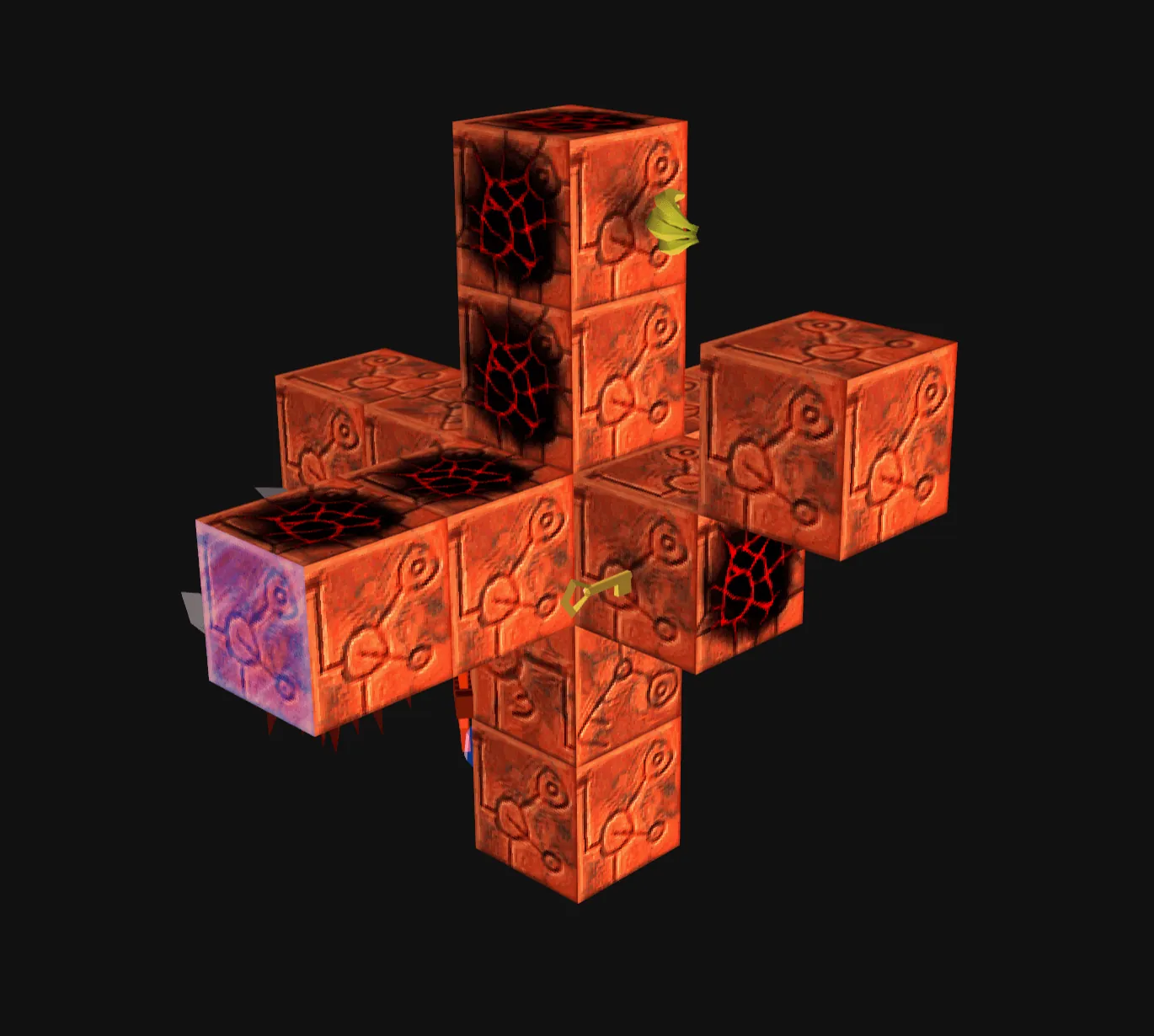
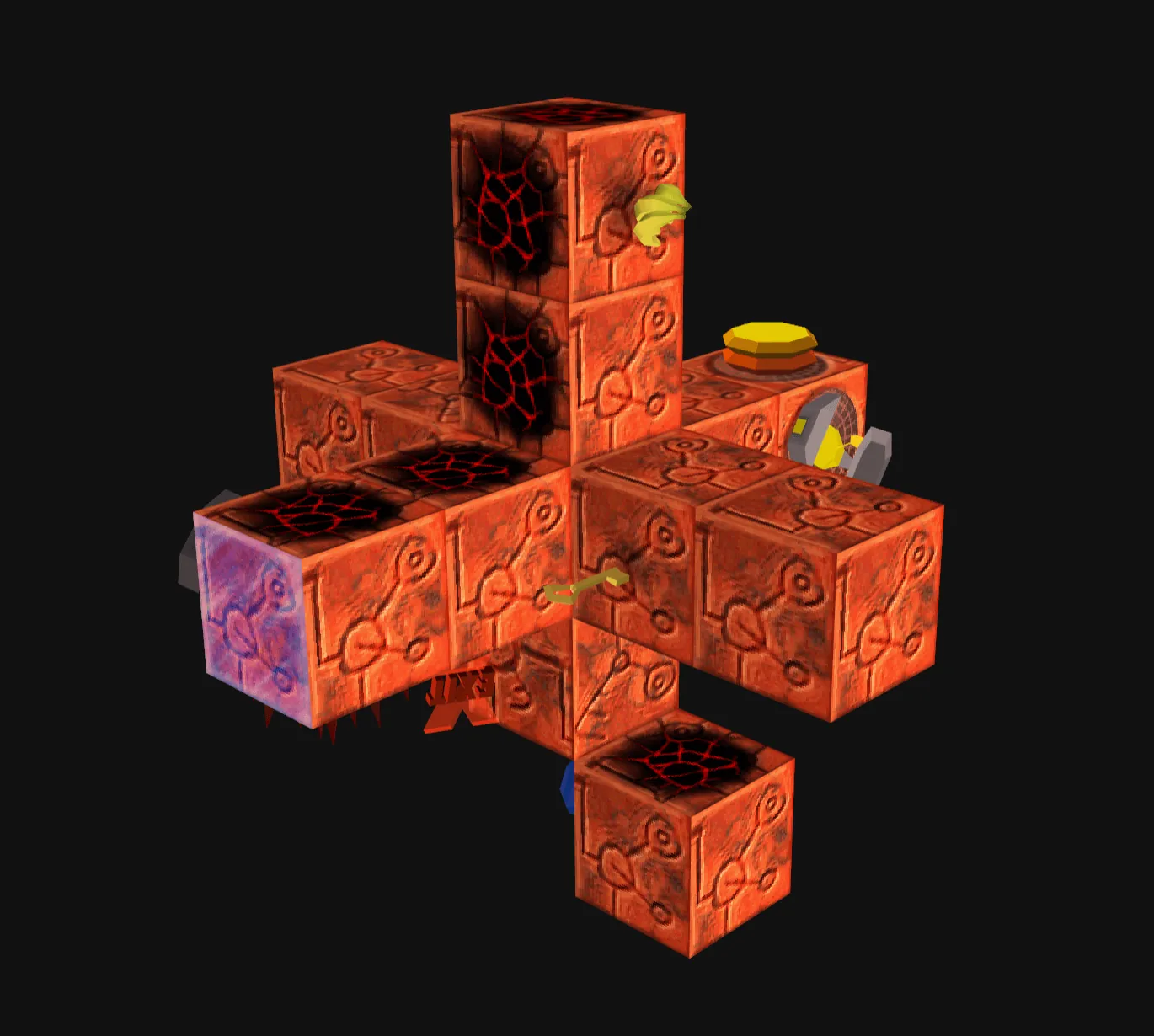
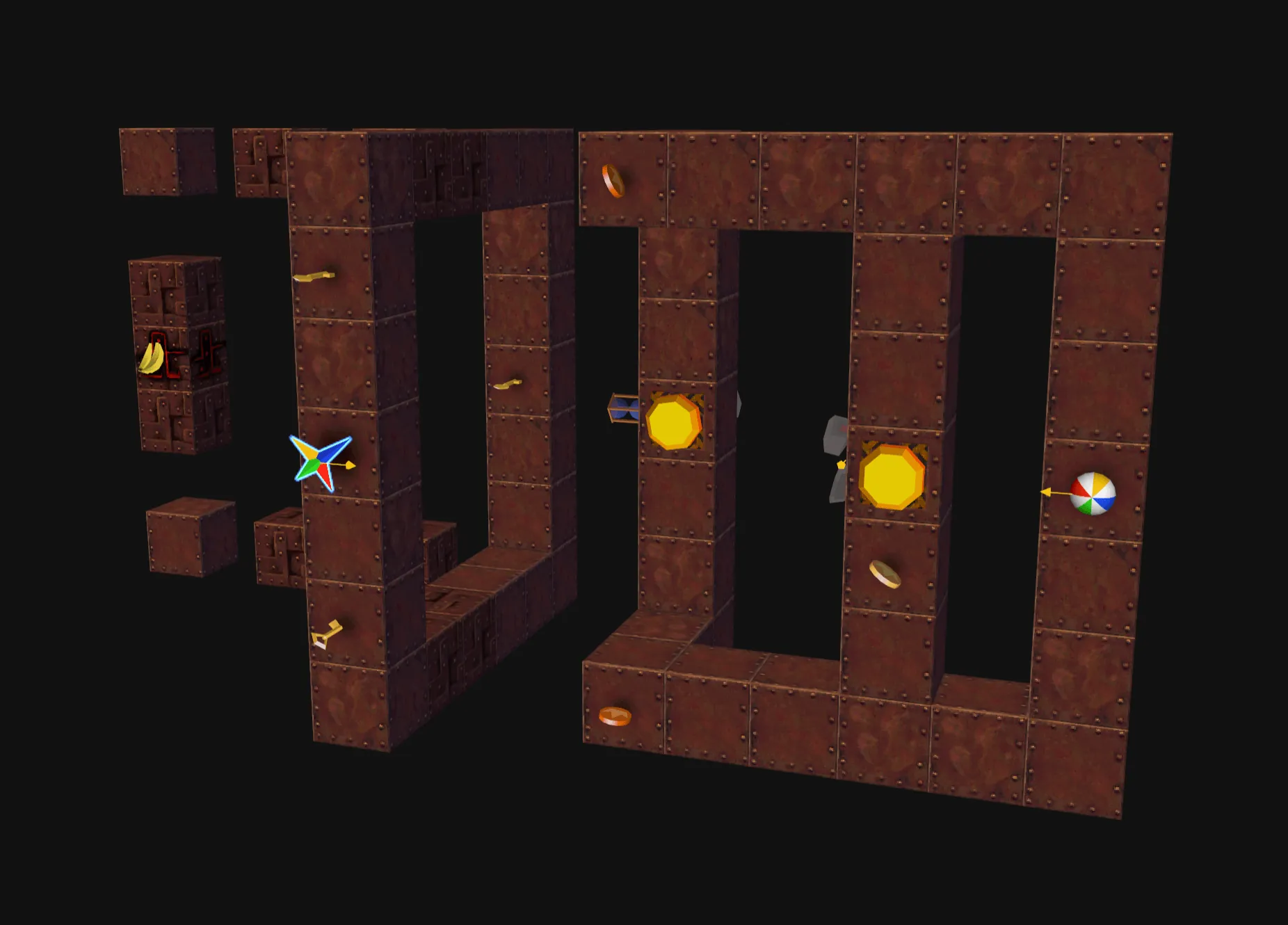
LEVEL 125 from Mars is the only level in all releases that contain inaccessible objects hidden by another block, consisting of a couple of fire patches hidden inside a few blocks:
Some levels contain slow moving stars that face the wrong direction, causing them to initially move in the air when the level loads:
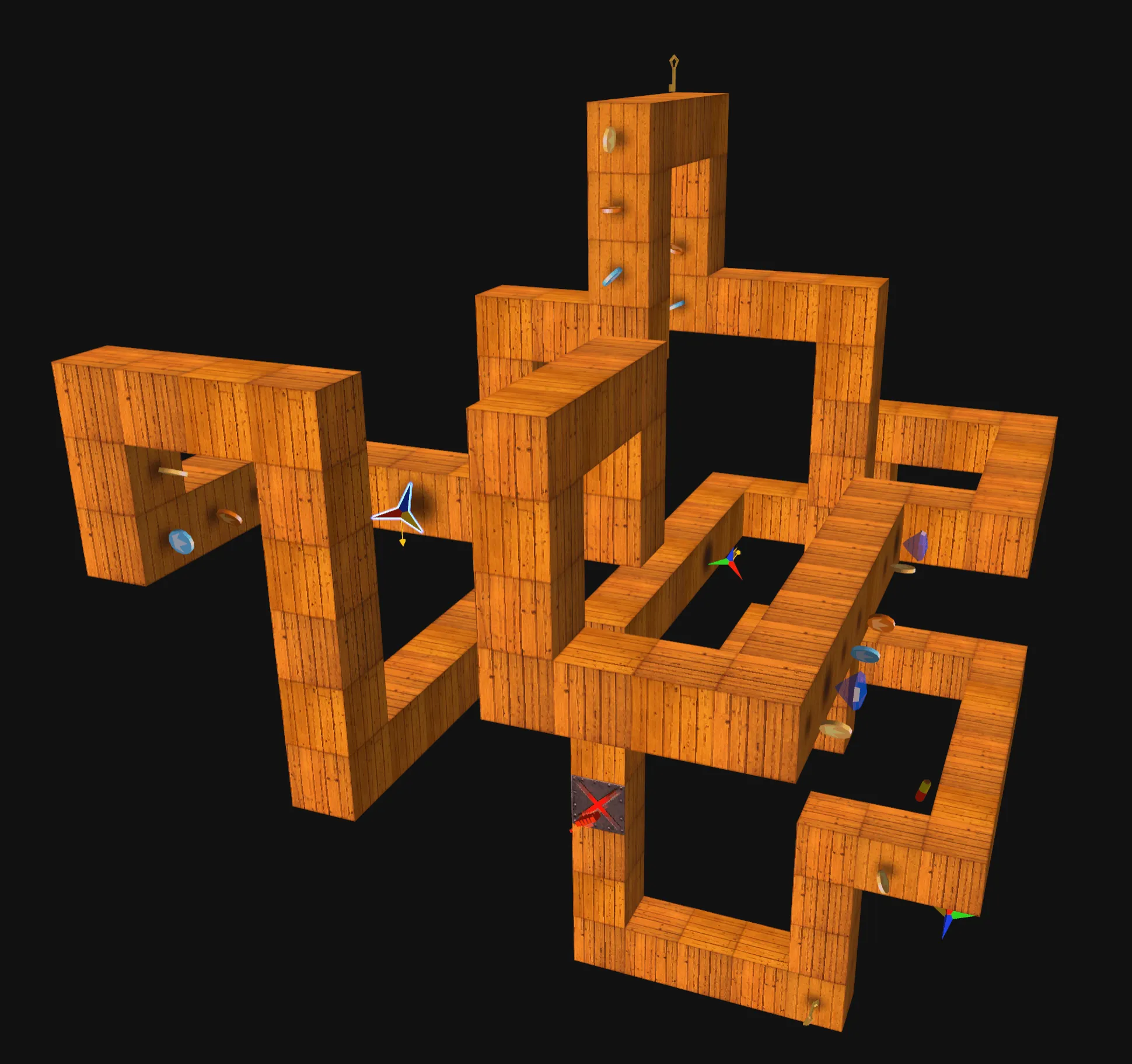
In the last bonus level in Kula World, every star is incorrectly set to the Positive X direction. This issue can be observed in the playthrough video PS1 Kula World 1998 - No Commentary by GameGamer, at 2:56:27.
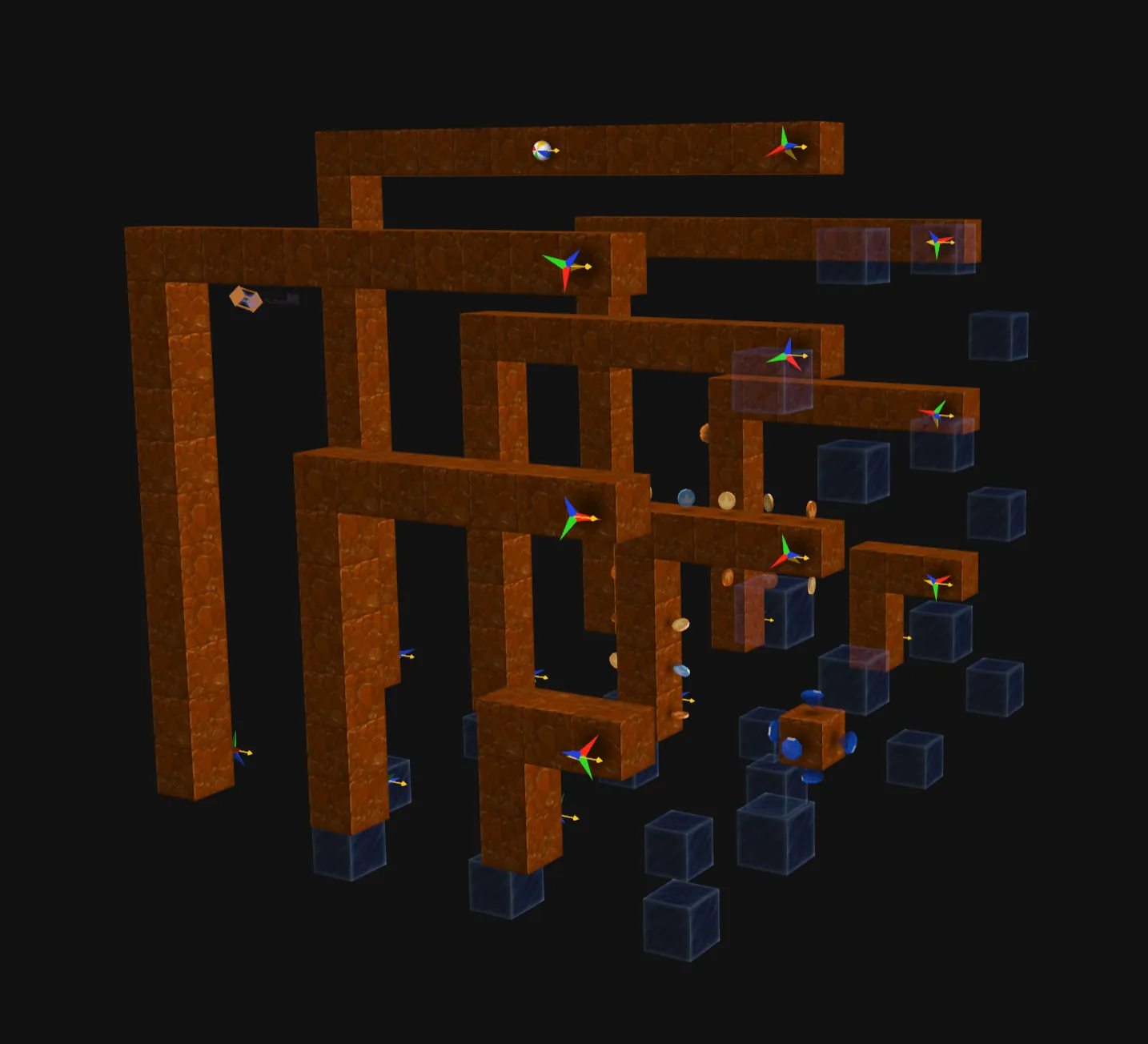
Also, this is also the only level in any release after the alpha that does not contain the level settings record.
In Atlantis, LEVEL 94 is incorrectly spelled "LECEL 94".
For an unknown reason, the captivator and time pause patches have their direction value set to 4 in the OBJ LEVEL. Additionally, no objects have their direction set to 0 except for capture pods, who's direction value behaves unpredictably.